 WHOOP
Works with Genie
Bring supported WHOOP data such as workouts, resting heart rate, HRV, recovery and sleep into Genie — and understand it alongside your broader health information.
WEARABLES & HEALTH APPS
Your wearable knows a lot about your day.
Genie helps you understand it in the context of your health.
Bring supported data from your wearables and health apps into Genie alongside your health reports and other health information — so you can understand more than individual numbers and scores.
Download Genie for free
Download on the App Store Get it on Google Play
Download Genie, then connect your wearable from inside the app.
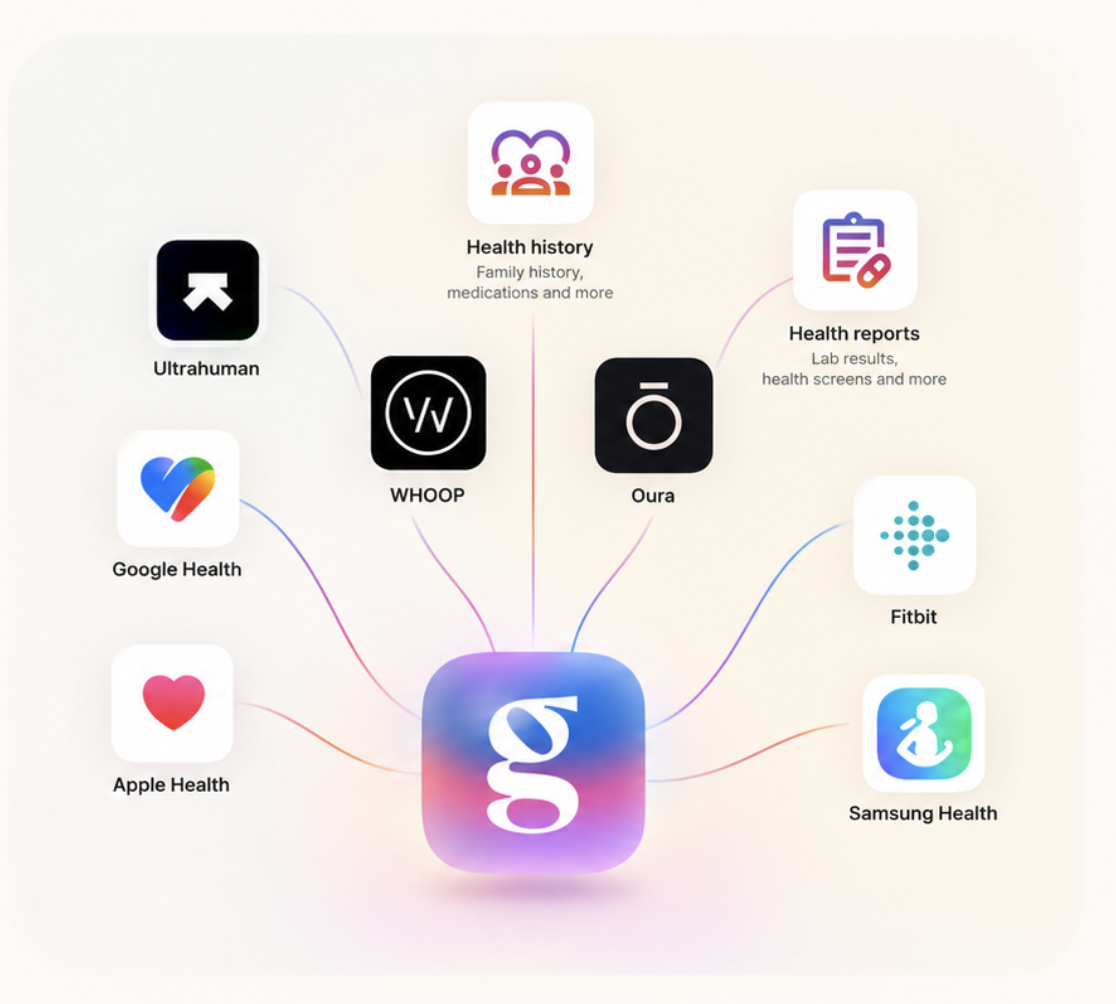
Works with the wearables & health apps you already use
 WHOOP
 Oura
 Fitbit
 Apple Health
 Google Health
 Samsung Health
 Ultrahuman
Genie Health connects with WHOOP, Oura, Fitbit, Apple Health, Google Health, Samsung Health and Ultrahuman.
Depending on the connection, Genie can bring supported activity, heart rate, recovery, fitness and sleep data together with your health reports and other health information.
The exact data available depends on your device, the data it records, your permissions and the way it connects to Genie.
WHOOPWorks with Genie
Bring supported WHOOP data such as workouts, resting heart rate, HRV, recovery and sleep into Genie — and understand it alongside your broader health information.
 Oura
Works with Genie
Bring supported Oura data such as activity, HRV, recovery and sleep into Genie — and understand it alongside your broader health information.
 Fitbit
Works with Genie
Bring supported Fitbit data such as activity, heart rate, HRV, fitness and sleep into Genie — and understand it alongside your broader health information.
 Apple Health
Works with Genie
Bring supported health, activity and wearable data available through Apple Health into Genie — alongside your health reports and other health information.
 Google Health
Works with Genie
Bring supported health, activity and wearable data available through Google Health into Genie — alongside your health reports and other health information.
 Samsung Health
Works with Genie
Bring supported health, activity and wearable data available through Samsung Health into Genie — alongside your health reports and other health information.
 Ultrahuman
Works with Genie
Bring supported Ultrahuman data such as activity, recovery and sleep into Genie — and understand it alongside your broader health information.
Available data varies by device, platform, permissions and integration.
CONNECTED HEALTH
Yes. Genie Health can bring supported wearable data together with information from your health reports and other health information you choose to add. This allows you to understand wearable changes in the context of your broader health, rather than looking at each number, score or report in isolation.
+
+
↓
↓
BEYOND THE SCORE
Wearables are very good at showing that something changed.
Your HRV may be lower than usual. Your resting heart rate may have increased. Your sleep may have changed. Your recovery or readiness score may suddenly look different.
Sometimes the explanation is straightforward — a hard workout, poor sleep, travel, alcohol or illness, for example.
Sometimes it isn't.
That’s when looking beyond a single wearable metric — and considering the pattern alongside the rest of your available health information — can provide useful context.
That’s what Genie is designed to help you do.
→
WHAT CHANGED?
→
→
GENIE
→
Understand the broader context
Bring supported wearable data together with health information you choose to add, including health reports. This gives you one place to understand information that would otherwise sit across different apps, devices and reports.
One unusual night or reading may not tell you very much. Patterns over time can be more useful. Genie can use supported wearable data to help surface meaningful changes and trends rather than requiring you to interpret every individual reading yourself.
Changes in sleep, activity, resting heart rate, HRV and other wearable signals do not always happen in isolation. Where there is an appropriate evidence-supported relationship, Genie can help you explore wearable trends alongside relevant information from your broader health context.
Ask Genie can use the health information you've chosen to add to help answer questions in the context of your available health data.
“Why has my resting heart rate been higher recently?”
“My recovery has been lower even though I’m sleeping well. What else should I look at?”
Your wearable captures part of your health every day. Your reports capture another part. Other health information adds more context. Genie brings supported information together so you can understand your health as a connected picture rather than a collection of isolated numbers.
+
+
↓
↓
Download Genie Health, then connect your wearable or health platform from inside the app.
Download Genie for free
Some health devices share their data with a health platform such as Apple Health or Google Health rather than connecting directly to Genie.
Where supported, Genie can receive that health data through the platform.
In this example, Apple Health is the route the data takes. Where source information is available, the blood pressure monitor remains the source of the measurement.
You decide what supported health data you connect to Genie and what you choose to share.
Not to advertisers. Not to partners. Not to anyone.
Encrypted with industry-grade standards.
You decide who to share your health data with.
Export or delete your data anytime. No lock-in.
Genie currently connects with WHOOP, Oura, Fitbit, Apple Health, Google Health, Samsung Health and Ultrahuman. Available data depends on the device, connection method and permissions you choose to provide.
Yes. Genie supports WHOOP. Download Genie Health on iOS or Android and connect WHOOP from inside the app.
Yes. Genie supports Oura. Download Genie Health on iOS or Android and connect Oura from inside the app.
Yes. Genie supports Fitbit. Download Genie Health on iOS or Android and connect Fitbit from inside the app.
Yes. Genie can use supported Apple Health data that you choose to share, including compatible health information from devices and apps that write data to Apple Health.
Yes. Genie supports compatible health and activity information through Google Health.
Yes. Genie supports compatible health and activity information from Samsung Health.
Yes. Genie supports compatible Ultrahuman health data.
Yes. Genie can bring supported wearable data together with health information you choose to add, including health reports. This allows wearable trends to be considered alongside broader health context rather than viewed only in isolation.
Download Genie Health from the Apple App Store or Google Play, then connect a supported wearable or health platform from inside the Genie app.
Your wearable captures part of your health every day. Your health reports capture another part. Genie helps bring supported information together so you can understand the bigger picture.
Download Genie for free
Download on the App Store Get it on Google Play
Download Genie, then connect your wearable from inside the app.